Wondering which of your social media tactics are working? Busy social marketers need effective social media analytics tools to focus their efforts. Let’s take a look at some of the best options for 2024.
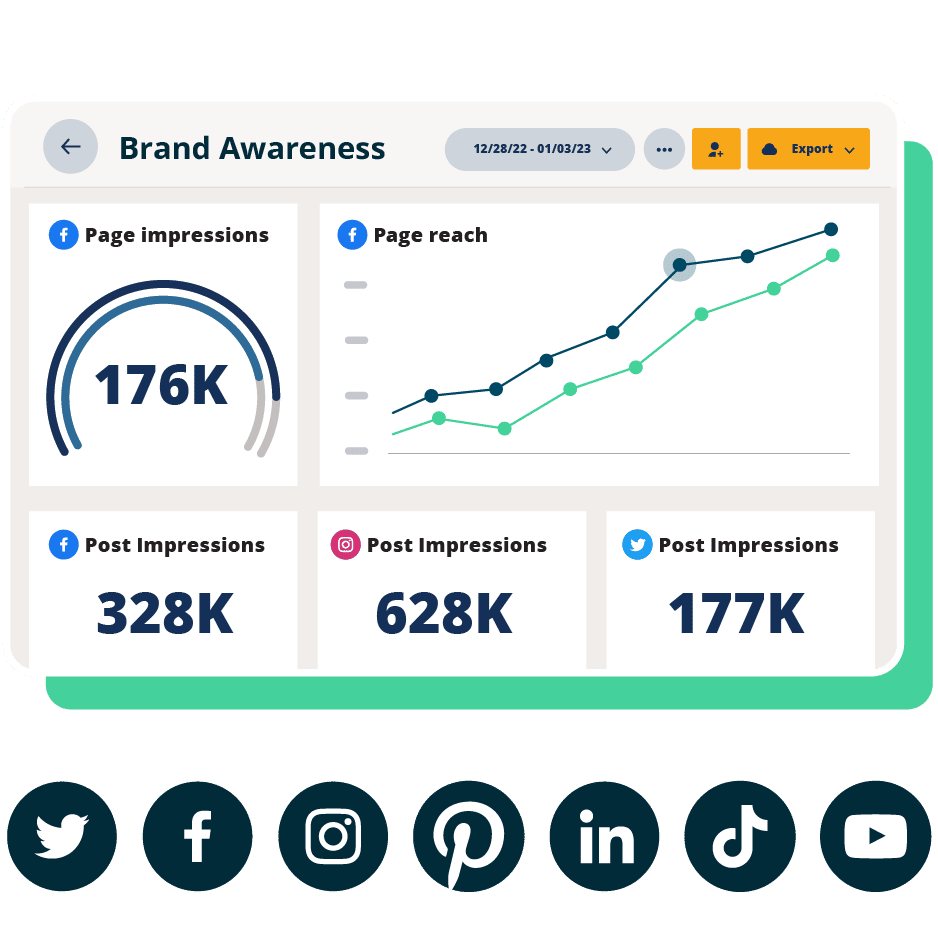
Beautiful reports. Clear data. Actionable insights to help you grow faster.
Start free 30-day trialSocial media analytics tools are apps and dashboards that allow you to gather information about your social media performance as well as your audience.
Tools for social media analytics also allow you to create reports to track performance over time and present results to your team, your boss, and other relevant stakeholders.
Social media analytics tools help you figure out what’s working and what’s not. They should also provide the historical data you need to assess your social media marketing strategy on both macro and micro levels.
The best comprehensive social media analytics tools allow you to compile data from multiple platforms and create custom reports so you never find yourself in a position like this:
Social media analytics tools can help you answer questions like:
- Is it worth it for my business to keep posting on Pinterest?
- What were our top posts on LinkedIn this year?
- Should we post more on Instagram next month?
- Which network drove the most brand awareness for our product launch?
- What kind of posts do my followers like to comment on?
… and many more.
With all of that data at your fingertips, you can also clearly see the ROI of your social media strategy, which can help prove the value of the work you and your team do every day. This is incredibly valuable when annual budget time rolls around, or when you want to request new resources.
Watch this video to see how the Hootsuite team uses social media analytics every day:
1. Hootsuite
Best for: Business owners who run their own social media, social media managers at small-to-medium sized businesses, large marketing teams
Coolest feature: Custom recommendations for the best time to post on each social account based on your accounts’ metrics and historical data
Price: Starting at $99/month
Skill level: Beginner to intermediate
Hootsuite is like the Swiss Army knife of tools for social media analytics. Imagine X (formerly Twitter) analytics, Instagram analytics, Facebook analytics, TikTok analytics, Pinterest analytics, YouTube analytics, and LinkedIn analytics all in one place.
Hootsuite offers a complete picture of all your social media efforts, so you don’t have to check each platform individually.
It saves time by making it easy to compare results across social media networks, including:
Social media post metrics:
- Clicks
- Comments
- Reach
- Engagement rate
- Impressions
- Shares
- Saves
- Video views
- Video reach
- And more
Profile metrics:
- Follower growth over time
- Negative feedback rate
- Profile visits
- Reactions
- Overall engagement rate
- And more
Best time to post recommendations
One of the most common reasons for the underperformance of social content is posting when your target audiences are not online or not interested in engaging with you.
This is why Hootsuite’s Best Time to Publish tool is one of the most popular features of Hootsuite Analytics. It looks at your unique historical social media data and recommends the optimal times to post based on three different goals:
- Engagement
- Impressions
- Link clicks

Most social media analytics tools only recommend posting times based on engagement. Or they’ll use data from universal benchmarks, instead of your unique performance history.
Other cool things you can do with Hootsuite Analytics:
- Customize report templates for only the metrics you care about
- Perform an easy competitive analysis and compare your performance to industry benchmarks
- Track the productivity of your social team (response times and resolution time for assigned posts, mentions, and comments)
- Monitor mentions, comments, and tags related to your business to avoid PR disasters before they happen
On top of all of that, Hootsuite won a 2024 TrustRadius Most Loved Award as well as 2023 Best Of Awards for Best Feature Set, Best Relationship, and Best Value for Price.
Competitive analysis
Hootsuite Analytics does Instagram, Facebook, and X (formerly Twitter) competitor analysis for you. You can track up to 20 competitors per network, and get a clear view of your strengths and weaknesses — plus actionable insights on the top posts, hashtags, and content formats in your niche.
Follow these 4 simple steps to track competitors with Hootsuite:
- Sign in to your Hootsuite account and pick Analytics from the main menu on the left side of the dashboard.
- Then, click on Competitive analysis in the Benchmarking section.
- At the top of the page, use the dropdown list of your social media profiles to select the one you want to compare to competitors.
- Then, pick the competitors you want to measure your performance against. To do that, go into the second dropdown list and check the boxes next to the competitors you want to view. To add competitors, click Manage competitors at the bottom of the dropdown box.

Then, type the name of a competitor into the search bar and select the correct profile from the dropdown list. Depending on your Hootsuite plan, you can add between 2 and 20 social accounts per network (Facebook, Instagram, and X) to your watchlist.
And that’s it! Now you can browse several competitive reports, including:
Overview, where you can see the number of posts you and your competitors posted in the selected timeframe (that can be adjusted in the top right corner of the dashboard) as well as every account’s posting frequency, average engagement, number of followers, and audience growth rate.
Post performance, where you can review your and your competitors’ top posts and sort results by reactions, comments, shares, and engagement — and quickly fetch inspiration for what to publish next.
Performance by post type, where you can find out what types of posts — photos, link posts, videos, text-only posts, and so on — are most popular with each brand’s audience. Results can be sorted to show which post types get the most reactions, shares, comments, or engagement.

Overall post performance, where you can see how you and your competitors did every day within the specified timeframe — all in one easy-to-read graph. You can drill down results by post type, or stick to the overall view.
Trending hashtags… which speaks for itself.

Source: Hootsuite Analytics
Post length, where you can find out how many characters and hashtags, on average, your competitors use in their posts.
Learn more about competitive analysis in Hootsuite Analytics.
Industry benchmarking
Need help setting realistic goals? Or maybe you’re not a fan of manually collecting data for audits and SWOT analyses?
With Hootsuite’s social media benchmarking, you can find out how others in your industry are doing on social and compare your results with just a few clicks.
To get industry benchmarks, follow these steps:
- Sign in to your Hootsuite dashboard and head to Analytics.
- In the menu on the left side of the screen, scroll to Benchmarking and click Industry.
- Pick an industry that best describes your business.

Now you can see how your results compare to average performance stats within your industry. You can set up custom timeframes, switch between networks — Instagram, Facebook, X, LinkedIn, and TikTok — and look up benchmarks for the following metrics:
- Profile impressions
- Profile reach
- Followers
- Audience growth rate
- Engagement rate
- Video views
- Posting frequency
- Clicks
- Saves
… and more.
You will also find tips and resources to improve your social media content performance right in the summary section:

And, if you need to present your results to your team, boss, or other stakeholders, you can easily download your comparison report as a PDF file.
Hootsuite Analytics is included in all Hootsuite plans. Try the best social media management tool for free for 30 days.
Learn more in this video or sign up for a Hootsuite free trial.
Beautiful reports. Clear data. Actionable insights to help you grow faster.
Start free 30-day trial2. Sprout Social

Source: Sprout Social
Best for: Marketing teams at larger organizations
Coolest feature: Tag inbound and outbound social messages to track and analyze volume and performance patterns.
Price: Starting at $199/month
Skill level: Beginner to intermediate
Sprout Social is another top contender in the battle of social media analytics tools, and it may be worth your consideration. Offering analytics for all the major social media platforms, Sprout can help you plan and execute your social media strategy.
Like Hootsuite, Sprout offers a full-featured analytics dashboard, which provides details on both your paid and organic posts and helps you decide when to publish content for the best results. You can also easily white-label and download reports from the Sprout dashboard.
Sprout is quite a bit more expensive than Hootsuite, but Hootsuite offers more features and integrations.
Learn more: Compare Hootsuite and Sprout to see which one works best for you.
3. Buffer

Source: Buffer
Best for: Business owners who run their own social media, solo social media managers at small-to-medium-sized businesses, agencies
Coolest feature: Simple Instagram performance tracking, including Stories analytics
Price: Starting at $6/month for 1 social channel
Skill level: Beginner to intermediate
Buffer is primarily a social media scheduler for Instagram, Facebook, X, TikTok, Pinterest, and LinkedIn.
When it comes to analytics, Buffer is relatively light on features. It doesn’t offer analytics for all platforms and doesn’t come with social listening features or competitive benchmarking. However, Buffer’s user-friendly dashboard is simple and straightforward, making it great for social media managers who just want to get in, schedule, and get out.
Learn more: Read our guide to Hootsuite vs. Buffer for more on how these platforms compare.
4. Hubspot

Source: HubSpot
Best for: Marketing teams at larger companies focused on understanding how social marketing efforts impact the customer journey
Coolest feature: Integration with your CRM to track data like new contacts driven by social media
Price: Starting at $800/month
Skill level: Advanced
Hubspot is a bit different from some of the other social media analytics tools on this list. With Hubspot, social media management is part of the Hubspot Marketing Hub software that also helps you manage email, SEO, and CRM records.
That means it’s best for brands that develop long-standing customer relationships, both before and after purchase, and that use multiple marketing approaches rather than sticking to social.
Hubspot integrates with Hootsuite to bring more social user context into your Hubspot CRM data and ticket system.
Learn more: You can add Hubspot to your Hootsuite dashboard
5. Later

Source: Later
Best for: Business owners who run their own social media, solo social media managers at small-to-medium-sized businesses
Coolest feature: Link in Bio page data flow to track website clicks from Instagram and TikTok
Price: Starting at $25/month
Skill level: Beginner to intermediate
Later really shines for smaller brands and creators who like to visualize and preview social media content before they post.
While Later can also help you measure the performance of your social media content and optimize posting times, the platform lacks some more advanced analytics features like competitive analysis and industry benchmarking.
Learn more: Compare Later and Hootsuite to see which solution is best for you.
6. Rival IQ

Source: Rival IQ
Best for: Social media managers who crave stats
Coolest feature: Free head-to-head reports against individual competitor accounts on Instagram, TikTok, Facebook, and X
Price: From $239 per month
Skill level: intermediate
Rival IQ was designed to let social media managers be data scientists, without the pesky certification. Rival IQ delivers on-demand analytical data, alerts, and custom reports from major social media platforms.
Easily conduct a competitive analysis or a complete social media audit with Rival IQ’s in-depth reporting. Then, present your findings to your stakeholders and marketing team with fully customizable charts, graphics, and dashboards.
Rival IQ isn’t just for the big picture. Comprehensive social post analytics lets you see exactly which posts work for each platform and identify why they work.
Pro tip: Getting owned by the competition? With Rival IQ you can also analyze your competitors’ social media accounts. See what works for them and look for ways to incorporate those techniques into your own social media presence.
Learn more: Try a demo or start your free trial with Rival IQ
7. Talkwalker

Source: Talkwalker
Best for: social media managers, PR and communications teams, brand monitors, product marketers, researchers
Coolest feature: Monitor conversations from more than 150 million sources to analyze engagement, potential reach, comments, sentiment, and emotions
Price: Pricing upon request – request a demo for more details
Skill level: Intermediate to advanced
Talkwalker offers analytics related to social conversations beyond your owned social properties, including:
- Mentions
- Brand sentiment
- Important influencers
- Conversation clusters
You can filter by region, demographics, device, type of content, and more.
Talkwalker is especially useful to spot activity peaks in conversations about your brand. This can help you determine the best times for your brand to post on social media.
Psst: Hootsuite is set to acquire Talkwalker VERY SOON. This means that you will get access to Talkwalker social listening and analytics directly in your Hootsuite dashboard!

8. Brandwatch

Source: Brandwatch
Best for: PR and communications teams, social media marketers who focus on engagement and brand monitoring
Coolest feature: Track and analyze data from more than 100 million sources, including blogs, forums, and review sites, as well as social networks
Price: Pricing available on request – request a demo for more details
Skill level: Beginner to intermediate
Brandwatch offers a powerful suite of tools that allow you to track and analyze your social media accounts while also monitoring brand reputation and social share of voice.
Brandwatch Consumer Research pulls from more than 1.4 trillion posts, with AI tools to help you filter out the trends and data that are most relevant to your business. You can set up email alerts to keep you informed when sentiment or conversion volume change.
Learn more: You can add Brandwatch to your Hootsuite dashboard
9. Keyhole

Source: Keyhole
Best for: Enterprise-level businesses and organizations
Coolest feature: Automated reports on influencer marketing campaigns with a breakdown of ROI
Price: Starting at $89/month
Skill level: Intermediate to advanced
Keyhole lets you report on everything: social media campaigns, brand mentions and interactions, hashtag impact, and even influencer campaign results.
You can drill down into your impressions, reach, share of voice, and even analyze your competitors’ social media strategies.
If you’re using influencer marketing as part of your strategy, Keyhole has reporting capabilities that will let you identify the ideal influencers to work with and measure their performance over time.
Learn more: How to identify and work with the best influencers.
10. Channelview Insights

Source: Synaptive
Best for: YouTube marketers and creators, social media managers who run a YouTube channel alongside other social channels
Coolest feature: Analyze the performance of multiple YouTube channels and export PDF or CSV reports
Price: Starting at $8/month (free for Hootsuite Enterprise users)
Skill level: All skill levels
Channelview Insights allows you to analyze YouTube video and channel performance alongside all your other social media channels. You can also schedule automatic, regular reports.
Easily see the following metrics in one place:
- Views, engagement, subscription activity, and watch time
- Audience insights for demographics, geography, acquisition and more
Learn more: You can add Channelview Insights to your Hootsuite dashboard
11. Mentionlytics

Source: Mentionlytics
Best for: PR and communications teams, brand monitoring teams, product marketers, researchers at small to medium-sized businesses.
Coolest feature: Clear sentiment and share of voice analysis in multiple languages
Price: Starting at $69/month
Skill level: Beginner to intermediate
Want to get the big picture view of what’s being said about your brand on the internet?
Mentionlytics is a great entry point to using social media analytics for brand monitoring — especially if you run a global business in more than one language.
It’s also an effective tool for identifying influencers and tracking relevant hashtags.
Learn more: You can add Mentionlytics to your Hootsuite dashboard
12. Panoramiq Insights

Source: Synaptive
Best for: Instagram marketers and creators
Coolest feature: Detailed Instagram Story analytics for multiple accounts
Price: Starting at $8/month (free for Hootsuite Enterprise users)
Skill level: All skill levels
Panoramiq Insights is perfect for Instagram marketers who want deeper insights on their Stories in particular.
Among other things, Panoramiq Insights lets you:
- Analyze follower demographics, including age, gender, country, city and language
- Monitor Instagram account activity (for multiple accounts), including views and new followers
- Find your best posts with view and engagement analytics
- Measure Story views and interactions
Learn more: You can add Panoramiq Insights to your Hootsuite dashboard
13. Quintly

Source: Quintly
Best for: Social media managers at small-to-medium-sized businesses, enterprise-level companies, agencies
Coolest feature: Customizable dashboards that draw from more than 500 social media metrics
Price: Starting at $315/month
Skill level: Intermediate to advanced
Unlike many of the tools on this list, Quintly is exclusively a social media analytics tool. That means it’s built solely to provide top-quality analytics, rather than bundling analytics with other social media management capabilities.
Quintly provides detailed data and reports for Facebook, Instagram, Twitter, LinkedIn, YouTube and Snapchat, along with competitor benchmarking.
Learn more: The social media metrics you need to track in 2024
14. Iconosquare

Source: Iconosquare
Best for: Solo entrepreneurs who manage their own social media accounts, social media managers at small-to-medium-sized businesses
Coolest feature: Reports (in PDF or XLS) include social images for clearer reporting and analysis
Price: Starting at $79/month
Skill level: Beginner to intermediate
Iconosquare allows you to report on brand metrics for multiple profiles across Instagram, Facebook, Twitter, LinkedIn, and TikTok. You can compare time periods and track more than 100 metrics as graphs or raw data.
While you’re at it, you can benchmark your performance against your competitors and set your reports to arrive in your inbox on a regular schedule.
Learn more: Social media benchmarks Q4 2023
15. Google Analytics

Source: Google
Best for: Social media professionals who work for a web-based business
Coolest feature: See how much traffic and leads flow to your website from your social media channels
Skill level: All skill levels
Google Analytics is one of the best free tools to learn about your website visitors. If you’re a social marketer who wants to drive traffic to your website, it’s an invaluable resource.
While it’s not a standalone social media analytics tool, you can use it to set up reports that will help you:
- See which social media platforms send you the most traffic
- See what content drives the most leads and traffic on which social networks
- Get to know your audience with demographic data
- Calculate the ROI of your social media campaigns
With these data points, you’ll be able to get the most out of your social media campaigns and effectively strategize for the future. No social media strategy is complete without Google Analytics.
Learn more: How to use Google Analytics to track social media success
16. Meta Business Suite Insights

Source: Meta Business Suite
Available to: Facebook Pages and Instagram professional accounts
The Insights tab within Meta Business Suite is the place to find account-, platform-, and post-level metrics for Facebook and Instagram side-by-side. You can also research the demographics of your audience and track your ad account spend.
Learn more: 3 Top Facebook analytics tools
17. Instagram Insights

Source: Instagram
Available to: Business and creator accounts
Instagram’s in-app analytics tool offers account- and post-level data for metrics like reach and engagement. You can track trends in follower growth and identify all the different ways followers interact with your content.
You can also learn about the demographics of your Instagram audience and track the performance of your Instagram Reels and Stories.
Learn more: Guide to Smarter Results Tracking on Instagram
18. TikTok Analytics

Source: TikTok
Available to: TikTok business accounts
TikTok’s native analytics tool breaks your metrics down into overview data, content performance analytics, and follower demographics and growth.
Learn more: 4 TikTok analytics tools
19. X Analytics

Source: X
Available to: All users of X (formerly Twitter)
While X analytics are currently being modified, for the moment they allow you to understand the performance of your paid and organic X posts and learn which other X users have the most potential to amplify your content.
You can access monthly highlights like top posts and top followers. It’s a good place to get a snapshot of your best performing content and identify potential influencers or brand ambassadors.
You can also dig deeper to track the engagements and impressions on your content over a selected period.
Learn more: How to use X analytics
20. Pinterest Analytics

Source: Pinterest
Available to: Pinterest business accounts
Pinterest’s built-in free social media analytics tools help you understand your Pinterest audience’s interests. You can track key metrics for paid and organic Pins, including impressions, engagements, video views, and profile visits. You’ll also find Pinterest-specific stats like saves and closeups.
If you add the Pinterest tag to your website, you can use Pinterest Analytics to track conversions.
Learn more: A Simple Guide to Using Pinterest Analytics
21. LinkedIn Page Analytics

Source: LinkedIn
Available to: LinkedIn Page admins
LinkedIn Page Analytics provides data on your Linkedin content, followers, visitors, leads, and competitors. You can also track your employee advocacy efforts, engagement with your career pages, and newsletter performance.
Learn more: LinkedIn Analytics: The Complete Guide for Marketers
Track your social media performance and maximize your budget with Hootsuite. Publish your posts and analyze the results in the same, easy-to-use dashboard. Try it free today.
All your social media analytics in one place. Use Hootsuite to see what’s working and where to improve performance.
Free 30-Day Trial